GenAI Won't Speed Up Your Scrum Events (and Shouldn't)
Last Updated: June 2026
Shortly after the release of ChatGPT 4o, I saw people talking about doing Backlog Refinement in minutes with GenAI. Most people have realized that’s just not a good idea. Speeding through the events doesn’t help. It does leave us with a question: where is GenAI useful?
To answer that first, we need to take a step back and ask why we hold these events in the first place. At surface level it appears we hold Sprint Planning to plan the outcome for the Sprint. Of course that’s true. However the real story is much deeper. Sprint Planning is really about the team having a deep conversation to understand:
- The Sprint Goal
- Their capacity for the Sprint, especially after they recheck the Definition of Done.
- What process or team improvement they will make in the next Sprint
- Which Product Backlog Items they can complete towards the Sprint Goal
- How they will achieve those items
The benefit of Sprint Planning isn’t a Sprint Backlog that looks like a Tetris board. It’s a team that has a good understanding of what they’re working toward.
The pull with GenAI is always toward speed. But a faster event doesn’t build that understanding; it skips it. For our Scrum events and activities instead of speed, ask the question: How can the GenAI tool help the team members spot details that might get missed; look at deeper issues and in general improve collaboration.
Where GenAI Helps, and the Guardrails
We already have a set of guidelines on GenAI usage for Scrum Teams (from Why AI Doesn’t Replace Your ScrumMaster):
Key considerations:
- Collaboration - Much of Scrum’s success is getting team members to collaborate
- Bottlenecks - The theory of constraints shows that improvements that aren’t at a system’s bottleneck are waste (usually making the bottleneck worse).
Before using GenAI in your Scrum team, evaluate:
- Collaboration: Does this enhance team collaboration?
- Bottlenecks/Value: Is it addressing the team’s bottleneck or significantly speeding up a time-consuming task? (Hint: shaving 5 minutes off a 10-minute task is not a win.)
- Risk Tolerance: Can we afford the errors the tool will make? Do we know the subject area well enough to sufficiently review and identify errors in the generated work?
- Complexity & Sustainability: Can we manage the added complexity from adopting the tool? Does the time savings account for error detection, correction, and long-term maintenance?
- Enabling: Does it make it possible to do something new and novel?
In general, it’s good for administrative work, stress-testing plans, and assembling materials. With all of these we need to keep in mind these tools mimic existing human biases (e.g. sexism, ageism, racism and more); they appear confident when they shouldn’t and more. There are a myriad of mistakes that are built into the training and reinforcement learning process (take our test to see how many you know).
Here’s how this plays out, event by event:
Sprint Planning
Purpose
Sprint Planning is the team building a shared understanding of the Sprint Goal, their capacity, and how they’ll get there, not a tidy Sprint Backlog.
Consider
GenAI to help with understanding the team’s capacity for the next Sprint. How many people have vacation days? In the past few Sprints roughly how much time has been lost to Production Support or other surprises?
GenAI to review the Sprint Plan. Ask clarifying questions; Do the Product Backlog Items selected support the Sprint Goal? Have they been checked against the Definition of Done? When compared to historical capacity, does the plan allow enough time to make the committed process/team improvement? And is there enough slack to account for unforeseen events mid Sprint (e.g. Production Support or other issue)?
GenAI to check for hidden technical, cross team or other dependencies; hidden capacity issues, such as work that is heavy on testing when only one person can help there. Recurrent patterns of problems that have appeared over several Sprints.
Avoid
Using GenAI to create Sprint Goals or select which PBIs belong in the Sprint. When we use GenAI to do these tasks, we shut down the critical thinking required for good judgement.
Using GenAI to break PBIs down into Business Analyst; Developer; QA tasks. To the extent tasks are valuable they need to be created through collaboration; otherwise the people don’t understand what is expected of each other. Better than focusing on task breakdown, consider: Pair Programming or Ensemble Programming.
Daily Scrum
Purpose
Daily Scrum is about:
- ensuring the Sprint Goal is still achievable
- updating the Sprint Backlog based on what we have learned/done in the last day
- sharing problems (aka impediments) so we can help each other
- preparing to collaborate for the day
Consider
With anything where a recording is made or an AI is listening - do a Safety Check. If the tool reduces Safety, then it’s not worth using. GenAI as a notetaker and using those notes to update the team’s electronic tools. (Be aware the updates need careful human review.)
At the end of Daily Scrum, use GenAI to review the notes/transcript: ask clarifying questions; stress test the updated Sprint plan again; recheck definition of done; … many of the other items from Sprint Planning (after all, Daily Scrum is a form of mini replanning)
Also check for potential missed impediments; PBIs whose work is missing Definition of Done elements.
Using a Systems Thinking lens, GenAI can help dig deeper on impediments.
Avoid
GenAI assigning tasks to people. I can’t believe this needs to be said and yet some tool vendors do it. If you want to watch motivation plummet, just do this.
Reporting your status to a GenAI tool that summarizes and shares with the team over Slack. Daily Scrum is about collaboration and helps build a team. Reporting information that gets shared on Slack increases isolation. GenAI is already increasing isolation.1
Sprint Review
Purpose
Most people focus on the Sprint Review as a demo of the Product work done in the Sprint. That does happen but again it’s not the only, or even most important piece.
- Review the Product Increment (aka the infamous demo)
- Check the Increment against the Definition of Done
- Feedback from the Stakeholders on the increment
- Update the Forecasts based on the work accepted in the Sprint Review
- Update the Product Backlog based on the Feedback
Boring Sprint Review
Too many Sprint Reviews are boring, mostly because there is a long demo and a lot of show and tell. Turn the tables after a high-level demo - I get the stakeholders (strong preference for real users) to use the Product Increment to complete a specific task. (This is a trick borrowed from the world of usability testing.) A series of focused tasks will get more focused feedback than a demo alone. It is also more engaging for the users because “show and play” beats “show and tell”. The team members also benefit because there is nothing like seeing your application used by someone else to see where they’re confused.
Consider
With permission recording the show and play portion of the Sprint Review, then use GenAI to create a list of the places people struggled.
Using GenAI to check each Product Backlog Item against the Definition of Done.
Using GenAI to brainstorm a narrative thread that connects the work done during the Sprint. (But not a script.)
Avoid
GenAI scripting your demo. If your demo needs a script, then we’re doing “Show and Tell”
Simulating user behaviour using GenAI. Another one in the category of I can’t believe this needs to be said. People have attempted to do usability testing using a series of Agents acting in the role of humans.
Sprint Retrospective
Purpose
The Retrospective is the chance for the team to step back and reflect on how they work together. It is intended as a chance to improve. In too many cases it boils down to “What went well?”, “What went poorly?” and “What can be improved?” Retrospectives that follow that format rapidly become a boring waste of time.
A good retrospective gives the team an opportunity to be open and honest. To raise problems and then work on solutions. This requires varying the exercises, questions and anything else so that each retrospective is designed for the problems the team faced during the Sprint.
Consider
You don’t need GenAI to make your retrospectives better. Sources like the RetroMat (a website with over 100 different retrospective activities) provide a great starting point for finding new exercises for your team. Experience facilitating a good retrospective makes it easier to judge the suggestions that GenAI will make.
Using GenAI to make suggestions for different retrospective activities that will fit the challenges you have seen in the Sprint. Caveat emptor, the tool doesn’t know you or your team. Ensure the activities don’t just sound good on paper, but will achieve the outcomes you expect.
Using GenAI to help assemble a set of notes to remind people of what happened in the Sprint. For my personal weekly reviews, I get the LLM to review all of my business context and assemble a detailed list of things that happened in the week. All the interpretation is left to me.
When dealing with deeper challenges, consider using Systems Thinking to uncover the problem(s) behind the surface level problem.
Avoid
Any sort of recording and transcription in the Retrospective.
Backlog Refinement
Purpose
Backlog refinement is the activity where the team and the product owner work to build a common understanding of the work that will be coming up in the next Sprints. It involves: writing new user stories; splitting large items down into smaller parts; reprioritizing; deleting items that are no longer important; estimation (hint: Story points not required).
All of these activities involve the team and product owner having a discussion about what a User Story/PBI represents. The team should be asking questions about who it is for? What problem will it solve? Why is it valuable? … All of these lead towards the team members understanding what is going to be built. GenAI doesn’t replace human understanding.
Remember GenAI doesn’t understand your context: end users; code base; security posture; … . No matter how much information it is fed, these tools are still just generating the next most plausible token in response to your prompt.
(If you need more depth on Refinement see: Product Backlog Refinement Hell: 3 Problems and Solutions). Strange Scrum detail? Backlog Refinement isn’t an event, it’s an activity. A ridiculous amount of ink has been spilled on the difference.
Consider
Using the LLM to help ask questions about a User Story: Does it meet INVEST? Who is the story for? Is the why statement clear? Is there ambiguity?
Struggling to split a user story ask the model to help. Use the well known splitting patterns, …
Get the tool to question prioritization decisions.
Avoid
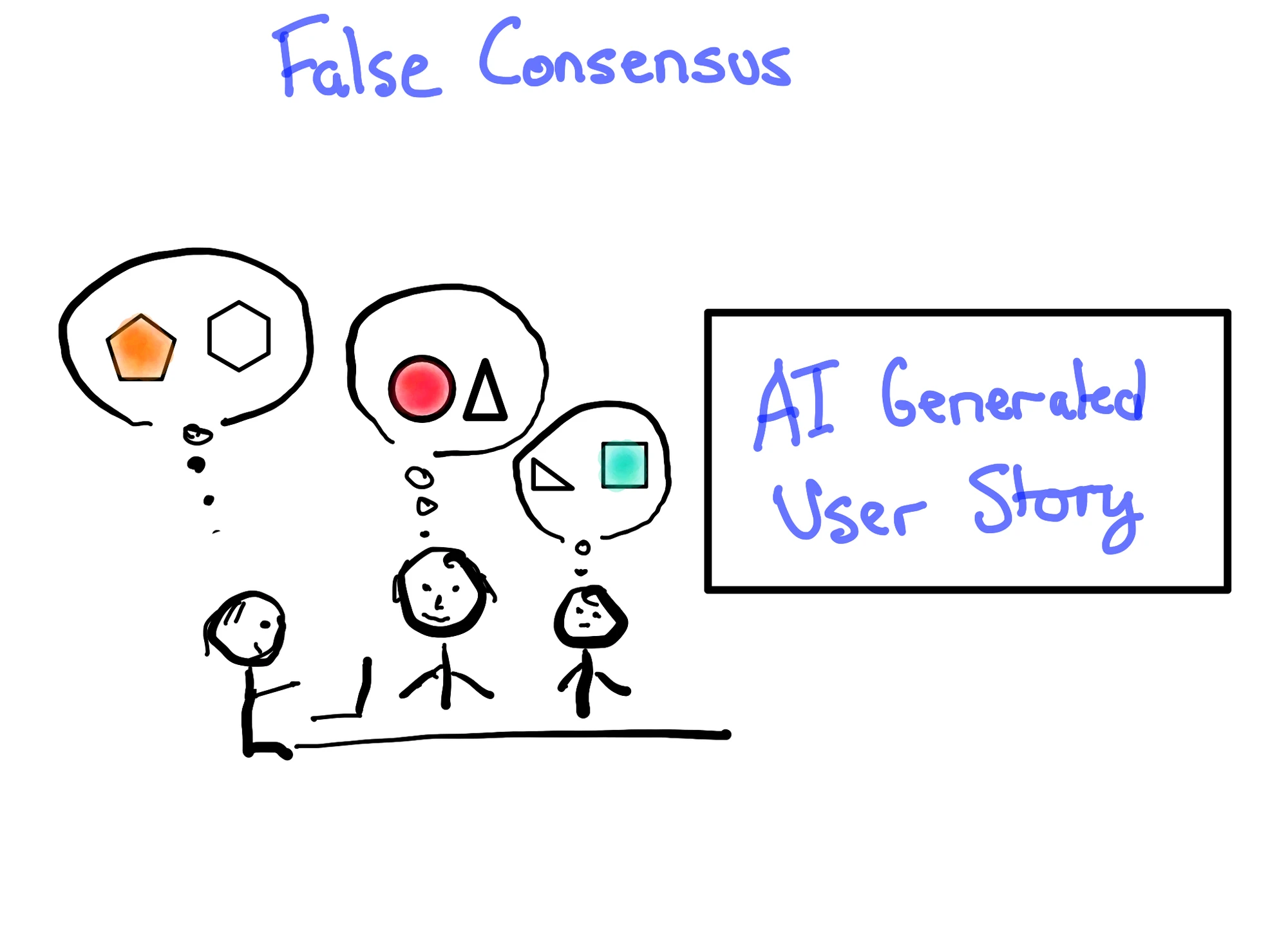
Using GenAI to generate: Epics, User Stories, Acceptance Criteria or anything else. All of these items exist as artifacts to help people (hint humans) to achieve a common understanding. When you present a team with a list of finished-looking user stories, they read, they nod, they say “I understand”. However lacking a real conversation they each understand something different. The irony, the problem of Product Owners bashing out a list of “polished” user stories and getting false agreement was a problem before GenAI appeared. GenAI has simply made the existing problem worse.
Cross-Cutting Cautions
Recording and Transcripts - This is the most popular suggestion I’ve seen. Be careful. Depending on the psychological safety level in the team, use of any recording or transcription tool may cause team members to avoid saying things that need to be said, because they don’t want to go on the record voicing their true feelings. If there is a choice between honesty and using an AI transcription tool, always choose for openness. I know this sounds repetitive, but it comes up so often that it needs to be said again. If transcription is used, consider a rule that all transcripts are deleted after they’ve been used to get the GenAI assistant to do its thing. Whatever you do, don’t use the transcript to generate a summary of the meeting.
If you can significantly speed up any of these events or activities with GenAI, then you’re probably not getting the value out of it in the first place.
When seeking to make anything better with GenAI, work from first principles. Take the time to understand the purpose of the event, activity, process, etc., before attempting to improve it.
Be careful when we use GenAI, it’s always eager to help. It’s confident. It will propose many ideas. However it has no sense of priorities, it doesn’t know your context. It can go deep on an impediment that only happens once every few months. In the moment it feels productive, however when you look back you can see it was chasing down a small detail. I know this from my own experience.
The Bottom Line
Before introducing GenAI in any of these events, make sure you’re already facilitating events that people want to participate in. In my experience GenAI amplifies what you’re already doing. Both good and bad.
It can be useful, but beware the tools becoming a crutch or, worse, replacing conversation. The Scrum events and activities are about increasing collaboration. Don’t replace your collaboration with GenAI. This is exactly why “GenAI can magically speed up refinement” is the monster backlog refinement anti-pattern of the year.
If you want a deeper, evidence-based walk through making GenAI work for your team instead of your team working for the AI, that’s exactly what my Surviving the AI Tsunami course covers.
Image attribution: © Agile Pain Relief Consulting (June 2026). Drawn with Linea Sketch
Footnotes
-
Research: Gen AI Makes People More Productive and Less Motivated, Harvard Business Review (May 2025). Discussed in The Human Cost of GenAI. ↩

Mark Levison
Mark Levison has been helping Scrum teams and organizations with Agile, Scrum and Kanban style approaches since 2001. From certified scrum master training to custom Agile courses, he has helped well over 8,000 individuals, earning him respect and top rated reviews as one of the pioneers within the industry, as well as a raft of certifications from the ScrumAlliance. Mark has been a speaker at various Agile Conferences for more than 20 years, and is a published Scrum author with eBooks as well as articles on InfoQ.com, ScrumAlliance.org and AgileAlliance.org.


